
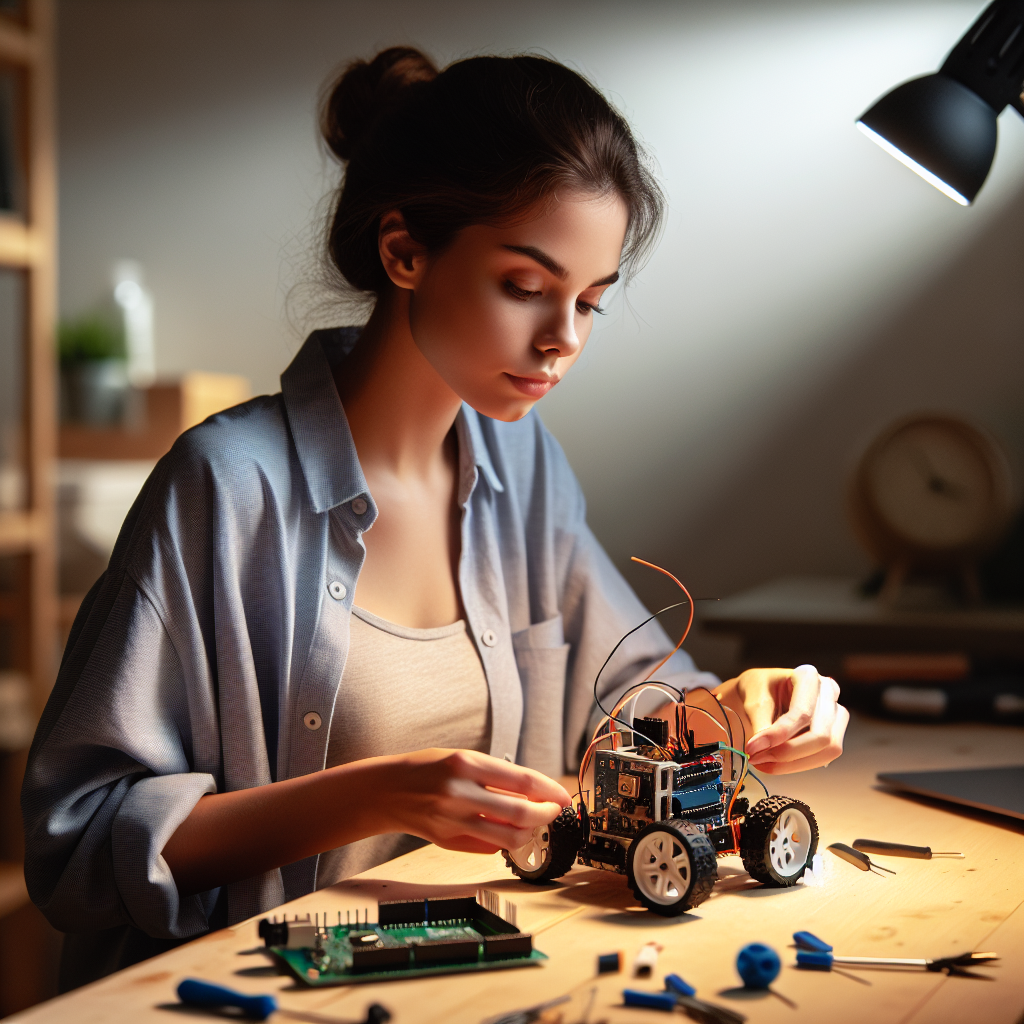
Choosing the right robot building kit is the most important decision a new maker can make. A well-designed kit provides a structured path from unboxing to autonomous motion. A poorly documented one leads to frustration and abandoned projects. We’ve tested dozens of kits across price ranges and skill levels to identify the platforms that actually deliver on their promises.
At Bring On The Robots, we evaluate every kit based on five criteria: microcontroller flexibility, programming language support, sensor expandability, build quality, and long-term learning value. Our recommendations target students, parents shopping for STEM gifts, and adult hobbyists entering robotics for the first time. If you’re completely new to the field, our Robotics for Beginners Roadmap provides a structured 12-month learning path.
The robot building kit market in 2026 spans entry-level platforms under $50 to advanced mechatronics systems above $300. Each price tier serves a different learning goal. Entry-level kits teach basic circuit concepts and drag-and-drop coding. Mid-range kits introduce text-based programming with Arduino or MicroPython. Premium kits provide research-grade hardware for studying computer vision, reinforcement learning, and bionic locomotion.
This guide ranks six robot building kits across every major price tier and use case. We cover Arduino-based platforms, Raspberry Pi kits, ESP32-powered quadrupeds, LEGO Education systems, budget-friendly chassis kits, and programmable robot arms. Each review includes specifications, strengths, limitations, and the specific learner profile that benefits most from that platform.
Every kit in this guide ships with all necessary hardware for a complete build. You won’t need to source individual components unless you choose to expand later. We’ve verified that each kit includes step-by-step assembly instructions and working code examples. You can also explore our guide to the best STEM robot kits by age if you’re shopping for a specific age group.
How to Choose a Robot Building Kit
The best robot building kit depends on your experience level, programming goals, and budget. Before comparing individual products, you need a framework for evaluating what matters most. These four criteria separate a kit that gathers dust from one that launches a lifelong hobby.
Microcontroller Platform: Arduino vs. Raspberry Pi vs. ESP32
The microcontroller is the brain of every robot kit. Arduino boards use ATmega chips and excel at real-time sensor control. They run a single program loop and respond to inputs within microseconds. Raspberry Pi boards run full Linux operating systems. They handle computer vision, machine learning, and network communication. ESP32 boards combine Wi-Fi and Bluetooth connectivity with dual-core processing at a lower price point than Raspberry Pi.
Arduino kits suit beginners who want to learn the fundamentals of the Sense-Think-Act loop. Raspberry Pi kits suit intermediate makers ready to work with Python and camera-based projects. ESP32 kits suit makers who need wireless connectivity for IoT and remote-control applications. You can compare these platforms in detail in our guide to types of robots.
Programming Language Support
Most beginner kits support block-based visual programming through platforms like Scratch or mBlock. Block-based coding removes syntax errors and lets new programmers focus on logic. Text-based kits use C++ (Arduino IDE), Python (Raspberry Pi and ESP32), or proprietary languages like LEGO’s SPIKE App. The ideal kit supports both block-based and text-based programming so you can graduate from visual coding to real syntax without switching hardware.
Expandability and Sensor Compatibility
A kit’s long-term value depends on how easily you can add new sensors and actuators after completing the initial build. Arduino-based kits offer the widest sensor ecosystem through standardized GPIO pins. Raspberry Pi kits support I2C, SPI, and USB peripherals. Proprietary platforms like LEGO use closed-connector systems that limit third-party expansion. Check whether the kit includes Grove, Qwiic, or standard header pins before purchasing.
Budget Considerations
Robot building kits fall into three price tiers. Entry-level kits ($30 to $70) provide a chassis, basic sensors, and a microcontroller. Mid-range kits ($70 to $150) add Wi-Fi cameras, multiple sensor modules, and more sophisticated code tutorials. Premium kits ($150 to $400+) include high-precision servos, metal or carbon-fiber frames, and advanced software frameworks. Your ideal price tier depends on whether you want a weekend project or a platform you’ll use for months of progressive learning.
Best Overall for Beginners: Makeblock mBot Neo
The Makeblock mBot Neo is the strongest all-around robot building kit for complete beginners in 2026. It combines an intuitive block-based coding interface with a CyberPi microcontroller that supports both Scratch-style visual programming and Python text coding. This dual-mode approach lets new makers start building immediately and transition to professional programming languages at their own pace.
Key Specifications
The mBot Neo uses a CyberPi main board based on an ESP32 processor. It operates at 240 MHz with built-in Wi-Fi and Bluetooth connectivity. The kit includes an ultrasonic sensor for obstacle detection, a line-following sensor array, an RGB LED matrix display, and a built-in speaker. The chassis uses a two-wheel differential drive system with a ball caster for stability.
The mBot Neo supports the mBlock programming environment. mBlock provides a Scratch 3.0-compatible block editor and a Python code editor in the same interface. The kit ships with over 20 pre-built project tutorials. Assembly requires approximately 30 minutes with no soldering. The recommended age range starts at 8 years old. The retail price sits at approximately $90.
Strengths and Limitations
The mBot Neo excels at bridging the gap between toy robots and real engineering platforms. Its CyberPi board includes onboard sensors (gyroscope, accelerometer, light sensor) that most competing kits sell as separate add-ons. The mBlock software runs on Windows, Mac, Chromebook, and iOS/Android tablets, making it accessible across classroom devices.
The main limitation involves expandability. The mBot Neo uses Makeblock’s proprietary RJ25 connectors for sensor modules. Third-party Arduino sensors require an adapter board. The two-wheel drive system also limits terrain capability compared to four-wheel-drive platforms like the Elegoo V4.0. Keep in mind that the mBot Neo is designed for learning fundamentals, not rugged outdoor operation.
Best Use Case
The mBot Neo fits students aged 8 to 14 and first-time adult makers who want a guided introduction to robotics concepts. It’s the top recommendation for elementary and middle school classrooms because of its cross-platform software and short assembly time. Parents looking for a STEM gift that teaches real coding skills will find the mBot Neo delivers more educational depth than toy-grade alternatives.

- Entry-level Coding Robot Toy: mBot robot kit is an excellent educational robot toys, designed for learning electronics, robotics and computer programming in a simple and fun way. From Scratch to Arduino, this STEM projects for kids ages 8-12 helps kids to learn programming step by step via interactive software and learning resources
- Easy to Build: With clearly building instructions, this building kit can be easily built within 15 minutes. Kids will learn more about electronics, machinery, and robotics components through building mBot. You can also play this STEM projects for kids ages 8-12 as a remote control car with its multi-functions: line-follow, obstacle-avoidance and so on
- Rich Tutorials for Programming: With Offerring coding cards and lessons, children can easily use all fonctions of mBot and creat projects by themselves. Matched with 3 free Makeblock apps and mBlock software, kids can enjoy remote control, play programming games, and coding with mBot robot kit. Note that the remote controller needs a CR2025 battery(NOT INCLUDED), and the robot kit needs 4 AA batteries (NOT INCLUDED)
- Awesome Gift for Kids: Surprise your little Kids with super cool robotics kit and let them discover the secrets of programming and electronics. Being well packaged and metal material, this robot kit is a perfect learning and educational toy gift for boys and girls on Birthday, Children's Day, Christmas, Easter, Summer Camp Activities, Back To School, Home Fun Time
- Creative Robot with Add-on Packs: So many fun configuration with an open-source system, this programmable robot is compatible with rich add-on packs. mBot can be connected to 100+ electronic modules and 500+ parts from the Makeblock platform, compatible with LEGO parts
Best Arduino Platform: Elegoo Smart Robot Car Kit V4.0
The Elegoo Smart Robot Car Kit V4.0 remains the gold standard for learning the Sense-Think-Act Loop on an Arduino platform. It pairs an Arduino UNO R3 controller with a four-wheel-drive chassis, a Wi-Fi camera module, and a comprehensive sensor suite. This kit teaches real embedded systems programming through the Arduino IDE while providing enough hardware to build a genuinely capable autonomous vehicle.
Key Specifications
The Elegoo V4.0 operates on an Arduino UNO R3 microcontroller running an ATmega328P chip at 16 MHz. The kit includes an ultrasonic distance sensor, an infrared remote control module, a line-tracking sensor array, and a real-time Wi-Fi camera that streams video to a companion smartphone app. The four-wheel-drive system uses four DC gear motors powered by an 18650 lithium battery (included).
Programming uses the Arduino IDE with C/C++ syntax. Elegoo provides a USB cable for direct upload and a detailed PDF tutorial covering 24 progressive lessons. The build takes approximately 2 to 3 hours depending on experience. The kit costs approximately $80 and targets makers aged 12 and older. Read our full Elegoo Car review for detailed benchmarks.
Strengths and Limitations
The Elegoo V4.0 provides the best value per dollar in the Arduino robot kit category. Its four-wheel-drive chassis handles carpet, tile, and smooth outdoor surfaces without losing traction. The Wi-Fi camera module adds computer vision capability that most kits at this price point lack entirely. The Arduino UNO’s massive community ecosystem means thousands of compatible sensors and libraries are available for expansion. You can find project ideas in our Arduino robot projects guide.
The primary limitation is the learning curve. Arduino programming requires understanding C++ syntax, variable types, and serial communication. Complete beginners without any coding background may find the first few tutorials challenging. The included PDF manual is thorough but assumes basic familiarity with programming concepts. Additionally, the Arduino UNO’s 32 KB of flash memory limits the complexity of programs you can run simultaneously.
Best Use Case
The Elegoo V4.0 fits teenagers, college students, and adult hobbyists who want to learn embedded C++ programming through hands-on robotics. It’s the ideal second robot for someone who has outgrown a block-coding platform like the mBot Neo. Engineering educators use it extensively in introductory mechatronics courses because the Arduino UNO is an industry-standard teaching platform.

- BUILD, CODE & DRIVE YOUR OWN ROBOT CAR: Turn coding, electronics and engineering into a working programmable robot car you can assemble, program and drive; ideal for weekend family projects, STEM classrooms, coding clubs, robotics lessons and maker challenges
- EXPLORE FPV, LINE TRACKING & OBSTACLE AVOIDANCE: Control the robot with the ELEGOO app or IR remote, view live FPV video through the onboard camera, follow black lines, avoid obstacles with the ultrasonic sensor and explore multiple interactive driving modes
- BEGINNER-FRIENDLY BUILD WITH GUIDED WIRING: Keyed XH2.54 connectors help reduce wiring mistakes, while the illustrated tutorial and example programs guide beginners step by step from chassis assembly and module connection to programming and the first successful run
- GO BEYOND ASSEMBLY WITH CREATIVE CODING: Program with Arduino IDE to explore movement, sensors and control logic, then modify example code to create custom routes, reactions and robotics experiments that develop coding, problem-solving and engineering skills
- COMPLETE RECHARGEABLE STEM ROBOTICS KIT: Includes an ELEGOO UNO R3 controller board, ESP32-WROVER-based camera and Wi-Fi module, line-tracking and ultrasonic sensors, motors, IR remote and a 2000 mAh rechargeable lithium-ion battery; recommended for ages 8+ with adult guidance for first-time builders
Best for Advanced Makers: Petoi Bittle X
The Petoi Bittle X stands apart from every other kit on this list because it teaches quadruped locomotion and bionic movement patterns. While most beginner robot kits roll on wheels, the Bittle X walks, trots, and recovers from falls using inverse kinematics algorithms. This makes it the best robot building kit for makers who want to explore legged robotics, reinforcement learning, and AI-driven motion planning.
Key Specifications
The Bittle X runs on a BiBoard powered by an ESP32 dual-core processor at 240 MHz. The board includes built-in Wi-Fi, Bluetooth, and a 6-axis IMU (inertial measurement unit) for balance detection. The robot uses 9 high-precision metal-gear servos rated at 2.2 kg·cm torque each. The body frame is constructed from laser-cut engineering plastic that assembles without adhesives.
Programming uses the Arduino IDE (C++), MicroPython, or Petoi’s visual Skill Composer for block-based gait design. The Bittle X supports voice commands through an optional microphone module. The kit includes a rechargeable lithium battery providing approximately 45 minutes of active walking time. Assembly takes 2 to 4 hours. The retail price sits at approximately $280. Explore how robot programming works across different platforms.
Strengths and Limitations
The Bittle X delivers an experience no wheeled robot can match. Watching your robot learn to walk through trial and error provides a visceral understanding of control theory. The ESP32 platform opens up IoT projects, camera integration, and cloud-connected behaviors. Petoi maintains an active open-source community that shares custom gaits, sensor add-ons, and Python training scripts.
On the other hand, the Bittle X carries a steeper learning curve than any other kit in this guide. Servo calibration requires patience and precision. The quadruped design is mechanically complex and occasional servo overheating occurs during extended use. Battery life is shorter than wheeled platforms due to the power demands of nine simultaneous servo motors. This kit rewards dedicated learners but may frustrate casual hobbyists who want quick results.
Best Use Case
The Petoi Bittle X suits advanced high school students, university robotics clubs, and adult makers with prior Arduino or Python experience. It’s the ideal platform for science fair projects involving gait optimization, obstacle navigation, or machine learning. Professionals exploring biomimetic robotics for career development will find the Bittle X provides genuine research-relevant experience at a fraction of laboratory equipment costs.

- Programmable Smart Interactive Robot Dog with Realistic Play: This upgraded robo dog offers 1 hour of playtime. Control your realistic robot dog via app, voice, or coding. A fun pet robot, mini robot, AI robot, and robot companion for adults, teens, and kids ages 10 and up — a great way to spend quality time together learning robotics programming.
- Voice Controlled Responsive Educational Robots: Our upgraded coding robot performs 35+ lifelike actions like sit, walk, and backflip. Customize up to 10 voice commands using C++. A perfect rechargeable robot dog experience for robotics enthusiasts.
- STEM Robotics Kit for Kids 10+ & Adults: Learn robotics and coding with this educational robot kit. Start with block coding, then advance to Arduino C++ & Python. Open-source and classroom-ready for K-12, college, after-school, and STEM camp programs — not a proprietary black box. Affordable enough for every student to have their own robot instead of sharing one — no single point of failure. A smart coding robot and robotic dog perfect for STEM learning and exploration.
- Program AI for a Robot Dog That Acts Like a Real Dog: Program your robotic dog to see, hear, and sense the environment with optional sensors — plus optional Raspberry Pi and ROS/ROS2 support for advanced makers and researchers. Now upgraded with lite feedback servos for smarter, real-dog-like navigation and realistic robotic dog behaviors. Hand-guide the legs to teach new gaits — fun for any age, the same kinesthetic teaching used in academic robotics research.
- Open Source Arduino Robotic Kit for Creative Robotics Learning: This upgraded pet robot offers free robotics curriculums and visual skill design tools. Explore endless customization with OpenCat, ideal for robotics education for students, and adults. Fully assembled — charge it and start coding (lite servos, battery, ESP32 controller included). Note: Optimized for flat concrete, hardwood surfaces. To ensure smooth traction, please avoid use on carpet, grass, mud, snow, or uneven surfaces.
Best for Classroom STEM Education: LEGO Education SPIKE Prime
The LEGO Education SPIKE Prime replaces the discontinued LEGO Mindstorms EV3 as the primary recommendation for structured classroom robotics programs and FIRST LEGO League competitions. SPIKE Prime combines LEGO’s tool-less brick-based assembly system with a modern hub running MicroPython. It’s the only kit in this guide that requires zero tools and zero wiring for a complete robotic build.
Key Specifications
The SPIKE Prime hub contains a Cortex-M4 microprocessor with a 5×5 LED matrix, a 6-axis gyroscope/accelerometer, a built-in speaker, and Bluetooth connectivity. The kit includes two large motors, one medium motor, a distance sensor, a color sensor, and a force sensor. All connections use LEGO’s proprietary LPF2 connector system. The hub runs on a built-in rechargeable lithium-ion battery.
Programming uses the SPIKE App, which provides both a Scratch-based block editor and a MicroPython text editor. LEGO provides over 40 lesson plans aligned with NGSS and CSTA education standards. Assembly varies from 15 minutes for simple builds to 90 minutes for competition robots. The education set costs approximately $395. The recommended age range is 10 to 14 years old.
Strengths and Limitations
SPIKE Prime dominates the K-12 education market because it eliminates every barrier to entry. Students snap bricks together without screwdrivers, solder, or wire strippers. The SPIKE App runs on iPads, Chromebooks, Windows, and Mac machines used in most school districts. LEGO’s pre-built lesson plans save teachers hours of curriculum development time. The FLL competition ecosystem gives students a clear pathway from classroom projects to regional and international robotics events.
The main limitation is cost and expandability. At $395 per kit, SPIKE Prime costs significantly more than Arduino or ESP32 alternatives. The proprietary LPF2 sensor system prevents using third-party components without adapters. Students who outgrow SPIKE Prime’s capabilities cannot easily transfer their builds to a more powerful platform. The system teaches computational thinking effectively but doesn’t expose students to real-world programming environments used in industry.
Best Use Case
SPIKE Prime fits elementary and middle school classrooms, after-school STEM clubs, and FIRST LEGO League competition teams. It’s the top recommendation for educators who need a managed, curriculum-aligned robotics platform. Parents who want a robotics kit their 10-year-old can build independently on a Saturday afternoon will appreciate the tool-free design and guided lesson plans.

- LEGO Education SPIKE 45345 Essential Set
Best Budget Option: SunFounder Raspberry Pi Robot Car Kit
The SunFounder PiCar-X represents the best value entry point into Raspberry Pi-based robotics. It pairs a Raspberry Pi single-board computer with a three-wheeled chassis, a pan-tilt camera, and a full Python programming environment. For makers who want to learn computer vision, object tracking, and neural network inference on real hardware, the PiCar-X delivers these capabilities at roughly one-third the cost of comparable platforms.
Key Specifications
The PiCar-X operates on a Raspberry Pi 4 Model B (sold separately or in bundle configurations). The kit includes a wide-angle USB camera mounted on a two-axis servo gimbal, an ultrasonic distance sensor, a grayscale sensor module for line following, and a text-to-speech module. The three-wheeled Ackermann steering system provides car-like turning behavior rather than tank-style rotation.
Programming uses Python 3 through SunFounder’s EzBlock visual editor or direct SSH terminal access. SunFounder provides a browser-based IDE that runs on the Pi itself, eliminating the need for a separate computer during programming sessions. The kit costs approximately $90 without the Raspberry Pi board or approximately $150 in a complete bundle. Assembly takes 1 to 2 hours. The target audience is makers aged 14 and older.
Strengths and Limitations
The PiCar-X’s greatest strength is its camera system. The pan-tilt gimbal tracks objects in real time using OpenCV libraries. Makers can train custom TensorFlow Lite models to recognize faces, gestures, or specific objects. This capability puts genuine computer vision projects within reach of hobbyists for under $150. The Raspberry Pi platform also supports running web servers, streaming video over a network, and integrating with cloud AI services.
The primary downside is complexity. The Raspberry Pi requires a separate microSD card loaded with Raspberry Pi OS. Network configuration, SSH setup, and Python dependency management add steps that pure Arduino kits avoid entirely. The PiCar-X’s three-wheeled chassis is also less stable on uneven surfaces than four-wheel-drive alternatives. Beginners without any Linux experience may need additional learning resources before feeling comfortable with the platform.
Best Use Case
The SunFounder PiCar-X fits intermediate makers aged 14 and older who want to explore computer vision and Python-based robotics. It’s an excellent second kit for someone graduating from an Arduino platform. University students studying computer science or data science will appreciate using the same Python libraries (OpenCV, TensorFlow) that appear in professional AI development environments.

- AI-Powered Raspberry Pi Smart Car — PiCar-X: PiCar-X brings AI learning to life — powered by Openclaw and multi-LLMs including ChatGPT, Gemini, Grok, DeepSeek, Qwen, Doubao, Ollama (Local LLMs), and compatible with many more AI platforms. Featuring OpenCV, MediaPipe, TTS & STT, PiCar-X enables true AI vision and voice interaction — it can see, listen, talk, drive and think like an intelligent companion. Ideal for students (10+), educators, and engineers, PiCar-X is the perfect gateway to explore AI, robotics, and machine learning on Raspberry Pi 5/4/3B+/3B/Zero 2W (Raspberry Pi not included)
- Engaging Interactions with Multi-LLMs: PiCar-X, powered by Openclaw and multi-LLMs — including ChatGPT, Gemini, Grok, DeepSeek, Qwen, Doubao, and Ollama (Local LLMs) — and compatible with many other AI platforms, supports voice interaction and visual recognition to make the robot smarter and more responsive. Users can enjoy natural AI conversations, solve math problems through the camera, and interpret gestures, unlocking a world of diverse and fun AI-driven interactions
- Feature-rich and Adaptable: PiCar-X offers engaging applications like line following and obstacle avoidance, supports TTS (Text-to-Speech) and STT (Speech-to-Text) for interactive voice control, and includes a camera for video and vision recognition. It also comes with various sensors, while its customizable design enables a wide range of creative AI and robotics projects
- Versatile Programming Options: Catering to users of all skill levels, PiCar-X supports both Python and Scratch programming languages, allowing for flexible learning and skill development
- Simplified Assembly & Support: PiCar-X is perfect for beginners, yet learning with experienced users is recommended for best results. It comes with easy assembly instructions and forum support for smooth project completion
Best for Robot Arm Projects: Hiwonder xArm ESP32
The Hiwonder xArm ESP32 fills a category that wheeled robot kits cannot address: articulated manipulation and pick-and-place tasks. This 6-DOF (degrees of freedom) robot arm teaches inverse kinematics, coordinate-space programming, and servo trajectory planning. For makers interested in industrial robotics concepts, warehouse automation, or assistive technology, the xArm ESP32 provides a desktop-scale platform for learning arm-specific control theory. Explore our complete guide to the best robot arm kits for additional options.
Key Specifications
The xArm ESP32 uses an ESP32 microcontroller with Wi-Fi and Bluetooth connectivity. The arm features 6 bus servos providing 6 degrees of freedom with a maximum reach of approximately 350 mm. The gripper applies enough force to lift objects weighing up to 200 grams. The aluminum-alloy frame provides rigidity that plastic arms at this price point lack.
Programming uses the Arduino IDE, MicroPython, or Hiwonder’s graphical teach-and-repeat software. The teach mode lets users physically move the arm to record waypoints, then replay the motion sequence automatically. The kit includes a wireless controller for manual operation. The retail price sits at approximately $200. Assembly takes 1 to 2 hours. The target age range is 14 years and older.
Strengths and Limitations
The xArm ESP32 introduces concepts that mobile robot kits never touch. Programming a 6-DOF arm requires understanding joint angles, workspace envelopes, and collision avoidance. These skills translate directly to industrial robotics careers where arm programming is a core competency. The ESP32 platform supports Wi-Fi control, making it possible to operate the arm remotely through a web interface or integrate it into IoT automation workflows.
The limitation is application scope. A robot arm performs manipulation tasks but doesn’t navigate environments. Makers interested in autonomous navigation, obstacle avoidance, or mapping will need a separate wheeled or legged platform. The 200-gram payload capacity also limits practical applications to lightweight objects like small parts, markers, or sensor modules. For hobby-grade arm use, however, the xArm ESP32 hits the right balance of capability and price.
Best Use Case
The Hiwonder xArm ESP32 suits makers who want to learn industrial robotics fundamentals without investing in professional-grade equipment. It’s ideal for high school engineering programs, maker spaces, and adults exploring career paths in automation and manufacturing robotics. Pair it with a wheeled robot like the Elegoo V4.0 to build a complete mobile manipulation system.

- ESP32 Main Control System, Support Micro-Python programming.Adopts simple modular design, consisting of an ESP32 core board and a multi-functional expansion board. It loads on-board servo ports, buzzer, LED, USB interface and many other electronic components, and also has several expansion interfaces, so that user can directly connect other sensors and actuating modules for secondary development.
- Provide Python editor making program easier.When connected to the device, the open source code in the device will be automatically displayed, and operations such as editing, downloading, and running can be easily performed. Supports commonly used ESP32 command code completion function, shortcut key batch comment, grammar check and other functions.
- Multiple Control Methods.Support APP, mouse, handle, wireless glove, synchronization controller, Bluetooth group control.
- Intelligent Bus Servo.Robot arm uses intelligent serial bus servo with high precision, feedback function and convenient wiring which reduces the friction between wire and bracket. The servo at the base is upgraded to a 25KG torque servo so that the robotic arm can grab more than 500g and the movement is more steady.
Complete Robot Building Kit Comparison Table
This comparison table summarizes the key specifications across all six recommended robot building kits. Use it to identify the platform that matches your budget, skill level, and learning goals.
| Kit Name | Primary MCU | Programming Language | Sensor Support | Price (Approx.) | Age Range | Build Time | Connectivity | Difficulty | Expandability |
|---|---|---|---|---|---|---|---|---|---|
| Makeblock mBot Neo | ESP32 (CyberPi) | Block / Python | Moderate (RJ25) | $90 | 8+ | 30 min | Wi-Fi, Bluetooth | Beginner | Moderate |
| Elegoo Smart Car V4.0 | Arduino UNO R3 | C/C++ (Arduino IDE) | High (GPIO) | $80 | 12+ | 2–3 hrs | Wi-Fi (camera) | Intermediate | High |
| Petoi Bittle X | ESP32 (BiBoard) | C++ / MicroPython | Moderate (I2C/Grove) | $280 | 14+ | 2–4 hrs | Wi-Fi, Bluetooth | Advanced | Moderate |
| LEGO SPIKE Prime | Cortex-M4 (Proprietary) | Block / MicroPython | Limited (LPF2) | $395 | 10–14 | 15–90 min | Bluetooth | Beginner | Low |
| SunFounder PiCar-X | Raspberry Pi 4 | Python 3 | High (GPIO/I2C/USB) | $90–$150 | 14+ | 1–2 hrs | Wi-Fi, Bluetooth, USB | Intermediate | Very High |
| Hiwonder xArm ESP32 | ESP32 | C++ / MicroPython | Moderate (I2C) | $200 | 14+ | 1–2 hrs | Wi-Fi, Bluetooth | Advanced | Moderate |
The comparison table highlights a clear pattern: Arduino and Raspberry Pi platforms offer the highest expandability due to their open-source ecosystems. Proprietary platforms like LEGO sacrifice flexibility for ease of use. Your priority determines which trade-off serves your goals better.
Robot Building Kit Budget Guide
Robot building kits span a wide price range, and the most expensive option isn’t always the best fit. Your budget should match your learning goals, not the other way around. Here’s how to think about spending across the three main price tiers.
Entry-Level Robot Kits ($30 to $70)
Entry-level kits provide a basic chassis, a few sensors, and a microcontroller at the lowest possible cost. These kits teach fundamental concepts like motor control, sensor input, and sequential programming. Products in this range include stripped-down Arduino car kits and basic line-following robots.
The trade-off at this price tier is documentation quality and component durability. Budget kits sometimes ship with poorly translated instructions or fragile plastic gears. In our experience, it’s worth spending $10 to $20 more to get a kit from an established brand like Elegoo or SunFounder. The difference in tutorial quality alone justifies the price bump. For inspiration on affordable projects, browse our collection of robot toys for adults.
Mid-Range Robot Kits ($70 to $150)
Mid-range kits represent the sweet spot for most beginners. Products like the Elegoo V4.0 ($80), Makeblock mBot Neo ($90), and SunFounder PiCar-X ($90-$150) all fall into this tier. At this price point, you get Wi-Fi connectivity, camera modules, multiple sensor types, and comprehensive tutorial libraries.
Mid-range kits also provide genuine expandability. You can add third-party sensors, upgrade motors, and write custom programs that go far beyond the included lesson plans. Most makers who stick with robotics as a long-term hobby started with a kit in this price range. The investment is low enough to be a reasonable experiment, but the hardware is capable enough to sustain months of progressive learning.
Premium Robot Kits ($150 to $400+)
Premium kits target makers with specific advanced goals. The Petoi Bittle X ($280) serves the legged robotics niche. The LEGO SPIKE Prime ($395) serves the structured education niche. The Hiwonder xArm ESP32 ($200) serves the articulated manipulation niche. Each kit in this tier delivers specialized capabilities that no mid-range product can replicate.
Before investing in a premium kit, make sure the specialized focus matches your actual interest. A $280 quadruped robot is a poor purchase if what you really wanted was a wheeled car to learn Arduino basics. Start with a mid-range kit if you’re uncertain about your direction. Graduate to a premium platform once you know which branch of robotics excites you most.
Frequently Asked Questions About Robot Building Kits
What is the best robot building kit for a complete beginner?
The Makeblock mBot Neo is the best robot building kit for a complete beginner. It assembles in 30 minutes without soldering, supports both block-based and Python programming, and includes built-in sensors that let new makers start coding immediately. For younger learners aged 10 to 14, the LEGO SPIKE Prime offers a similar low-barrier experience with tool-free brick assembly.
Do I need to know programming to build a robot kit?
No prior programming experience is required for beginner-level kits. Platforms like the mBot Neo and LEGO SPIKE Prime use block-based visual coding environments where you drag and drop logic blocks instead of typing code. These interfaces teach programming concepts without syntax errors. You can transition to text-based languages like Python or C++ once you’re comfortable with the fundamentals.
What is the difference between Arduino and Raspberry Pi robot kits?
Arduino robot kits use simple microcontrollers that run one program at a time. They excel at real-time sensor control and respond to inputs within microseconds. Raspberry Pi robot kits run a full Linux operating system. They support computer vision, machine learning, web servers, and multitasking. Arduino suits makers who want to learn embedded systems. Raspberry Pi suits makers who want to work with cameras, AI, and networked applications.
How long does it take to build a robot from a kit?
Build time depends on the kit’s complexity. The Makeblock mBot Neo assembles in approximately 30 minutes. The Elegoo Smart Car V4.0 takes 2 to 3 hours. The Petoi Bittle X requires 2 to 4 hours due to servo calibration. LEGO SPIKE Prime builds range from 15 minutes for simple models to 90 minutes for competition robots. All kits in this guide include step-by-step instructions with photos or diagrams.
Can I expand my robot kit after building it?
Most kits support expansion through additional sensors, motors, and modules. Arduino-based kits offer the widest expansion options because thousands of compatible sensors use standard GPIO pins. Raspberry Pi kits support USB, I2C, and SPI peripherals. Proprietary platforms like LEGO restrict expansion to their own connector system. Before purchasing, check whether the kit uses open standards or proprietary connectors.
Are robot building kits good for learning STEM?
Robot building kits teach science, technology, engineering, and math through hands-on projects. They cover electronics (circuit design and sensor wiring), computer science (programming logic and algorithms), physics (motion, torque, and friction), and engineering (mechanical assembly and problem-solving). Research consistently shows that project-based learning with physical hardware improves concept retention compared to screen-only coding exercises.
What age are robot building kits appropriate for?
Age appropriateness depends on the kit. The Makeblock mBot Neo suits ages 8 and older. LEGO SPIKE Prime targets ages 10 to 14. The Elegoo V4.0 and SunFounder PiCar-X target ages 12 to 14 and older. The Petoi Bittle X and Hiwonder xArm ESP32 target ages 14 and older. Younger children (under 8) benefit more from pre-assembled coding toys than from build-from-scratch kits. Visit our guide to the best STEM robot kits by age for age-specific recommendations.
What tools do I need to build a robot from a kit?
Most beginner robot kits include all necessary tools or require no tools at all. The LEGO SPIKE Prime and Makeblock mBot Neo are completely tool-free. Arduino-based kits like the Elegoo V4.0 include a screwdriver and may require a USB cable (usually included). Advanced kits occasionally require needle-nose pliers or a small Phillips-head screwdriver. No kit in this guide requires soldering equipment.
Start Building: Choose Your Kit and Take the First Step
Every robot kit in this guide teaches different skills, but they all share one trait: they turn abstract concepts into physical machines you can hold, program, and improve. The right kit for you depends on three factors: your current skill level, your budget, and the specific branch of robotics that interests you most.
If you’re a complete beginner or shopping for a young learner, start with the Makeblock mBot Neo. It offers the fastest path from unboxing to a working robot with the gentlest learning curve.
If you want to learn real embedded programming with the largest community support, choose the Elegoo Smart Robot Car V4.0. The Arduino ecosystem gives you access to thousands of tutorials, libraries, and compatible sensors.
If computer vision and Python are your priorities, the SunFounder PiCar-X puts a full Raspberry Pi-powered robot on your desk for under $150.
If you’re ready for an advanced challenge that teaches biomimetic locomotion and control theory, the Petoi Bittle X offers an experience no other consumer kit can match.
For hands-on industrial robotics fundamentals, the Hiwonder xArm ESP32 teaches arm programming and inverse kinematics at a hobbyist-friendly price point.
And for structured classroom programs or FIRST LEGO League preparation, the LEGO SPIKE Prime remains the gold standard for curriculum-aligned K-12 robotics education.
Building a robot is the fastest way to prepare for a career in robotics engineering. No matter which kit you choose, you’ll gain skills in programming, electronics, and mechanical design that textbooks alone cannot teach. If you need a structured learning path beyond your first build, our learn robotics roadmap guides you through the next steps.
BringOnTheRobots.com is a participant in the Amazon Services LLC Associates Program, an affiliate advertising program designed to provide a means for sites to earn advertising fees by advertising and linking to Amazon.com, Amazon.co.uk, Amazon.ca, and other Amazon stores worldwide. Prices for items above were last updated on 2026-10-08 at 12:05. See Amazon's 30 Day Return Policy.