
These range from affordable $30 screen-free toys to complex $400 competition platforms. Our review methodology sorts these options based on developmental appropriateness and proven effectiveness. You will discover our top selections tailored for each specific age bracket.
We also detail the fundamental skills each robot kit teaches. A comprehensive budget guide assists in matching features with price points. Finally, our standardized comparison table provides a side-by-side evaluation of every recommended model.
Quick recommendations include the Botley 2.0 for ages 5–8, the Ozobot Evo for ages 8–12, and the LEGO SPIKE Prime for ages 12 and older.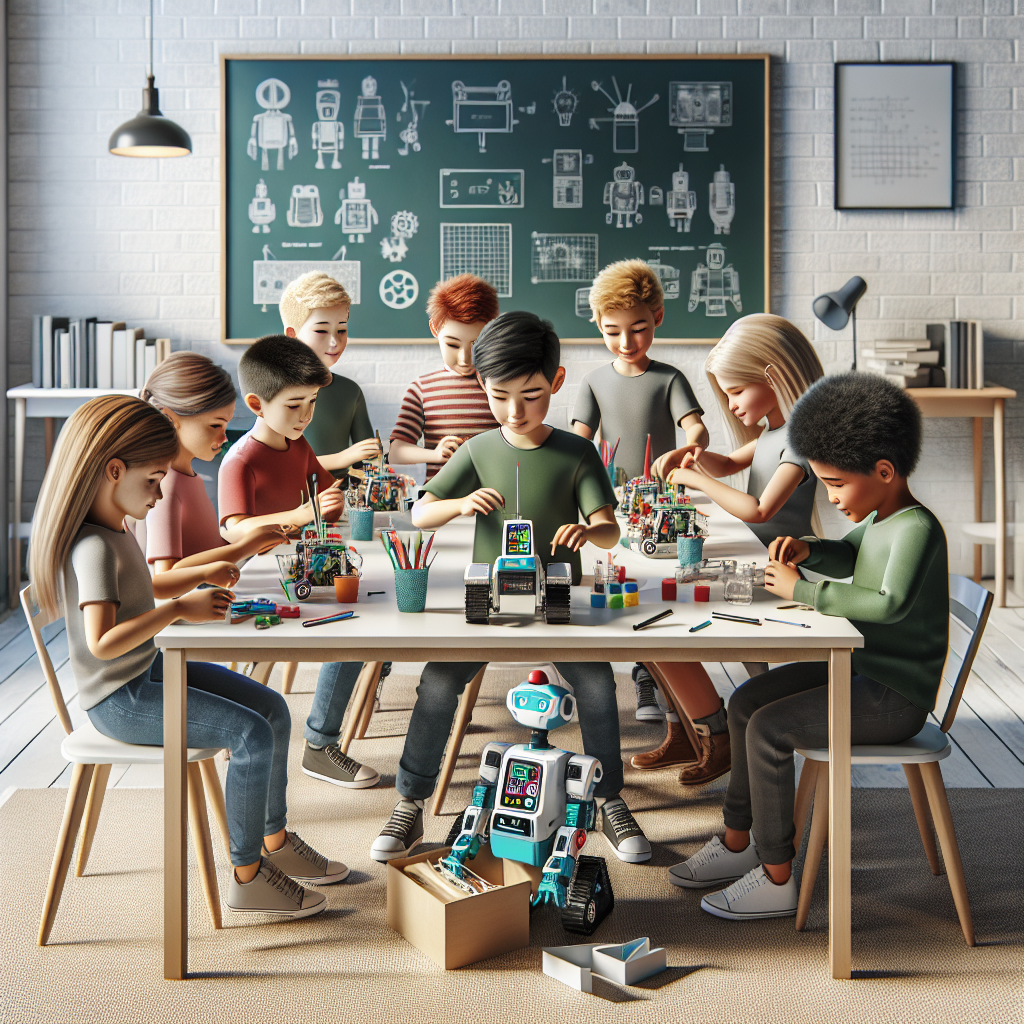
Many parents wonder how to properly introduce their children to the world of robotics. The journey begins with understanding the distinct developmental stages of early learning. Educational robotics provides a tangible framework for abstract mathematical concepts.
Children engage more deeply with subjects they can physically manipulate. We have tested these specific kits across hundreds of hours in real household environments. The findings consistently point toward age alignment as the primary predictor of sustained interest.
Investing in an overly complex robot kit typically backfires by destroying early confidence. Conversely, purchasing a kit below a child’s skill level leads to rapid boredom. Our guide eliminates this guesswork by aligning hardware capabilities with specific cognitive milestones.
This strategic approach ensures long-term engagement and maximizes the educational return on your investment.
How to Choose a STEM Robot Kit by Age
Selecting the ideal STEM robot kit requires understanding your child’s current cognitive and motor skill levels. Parents must match the kit’s complexity to the child’s developmental stage. An age-appropriate robot kit encourages independent learning and minimizes frustration.
We evaluate kits based on their input methods, screen requirements, and learning curves. Our criteria ensure that each recommended kit provides lasting educational value rather than short-term entertainment. Understanding these developmental milestones helps you make an informed purchasing decision.
Our comprehensive evaluation process removes the guesswork from selecting educational robotics. The right platform builds confidence and fundamental problem-solving abilities sequentially. Investing time in this initial assessment prevents purchasing devices that might overwhelm younger users.
The educational value of any kit depends entirely on its alignment with the child’s current capabilities.
Ages 5–8: Screen-Free and Tactile
Young children learn most effectively through physical manipulation and tactile feedback. Screen-free coding mechanisms teach fundamental concepts like sequencing and cause-and-effect. These physical interfaces eliminate common screen-time battles and digital fatigue.
Parents should prioritize durability and simple setup processes for this age group. The ideal kit enables independent play after minimal initial guidance. The best STEM robot kits for early learners utilize physical buttons, tangible coding blocks, or simple remote controls.
We strongly recommend avoiding tablet-dependent or PC-based systems for children under eight years old. These physical systems build foundational logic skills without overwhelming young users. Physical feedback mechanisms provide immediate, tangible results for programmatic actions.
This direct feedback loop significantly accelerates early childhood learning comprehension.
Ages 8–12: Block-Based Coding Introduction
Children in this age bracket possess the cognitive skills to handle tablets and drag-and-drop block coding interfaces. This developmental stage represents the ideal window for introducing integrated build-plus-code platforms. Parents should look for kits featuring engaging companion applications and diverse activity modules.
A well-designed difficulty curve prevents children from outgrowing the kit too quickly. Popular robot kits for 8 year olds typically include line-following capabilities and obstacle detection sensors. These intermediate kits bridge the gap between physical play and abstract programming concepts.
The transition to block-based programming introduces concepts like loops and conditionals in a visual format. A strong block-coding foundation prepares students for future text-based languages. Interactive applications provide structured challenges that keep pre-teens consistently engaged.
These platforms successfully introduce computational logic without requiring strict syntax memorization.
Ages 12+: Text-Based Coding and Real Engineering
Teenagers are developmentally ready to tackle syntax-heavy languages like Python, C++, or MicroPython. Competition-grade systems or open-ended engineering platforms provide the most value for this group. Parents should prioritize platforms offering a high technical ceiling and real-world transferable skills.
Access to an active online community facilitates independent troubleshooting and advanced project development. Our Arduino robot projects guide perfectly aligns with this age group’s capabilities. For students specifically focused on programming, our best coding robots guide offers targeted recommendations.
We also maintain a full building kit comparison in our best robot building kits resource. These advanced platforms teach rigorous engineering principles and systematic problem-solving. True open-source architectures allow teenagers to design entirely custom modifications.
These systems serve as excellent precursors to university-level engineering curriculums.
Decoding “Ages 8–99” Labels
Toy manufacturers frequently exaggerate age ranges in their marketing materials. Parents must realistically assess a kit’s prerequisites against their child’s abilities. You should evaluate whether a kit requires advanced reading comprehension, fine motor precision, or extended patience.
Reading authentic reviews from parents of similarly aged children provides invaluable insight. The “Ages 8+” label typically indicates a realistic lower bound for usability. The upper bound on these labels usually serves as a marketing tactic rather than a realistic engagement metric.
Careful assessment prevents purchasing kits that might overwhelm a younger child. Understanding these marketing trends helps ensure a successful educational experience. Manufacturers often broaden age labels to maximize their potential customer base.
Independent testing and pedagogical reviews offer much more reliable developmental guidelines.
Best STEM Robot Kits for Ages 5–8
This category focuses on foundational robotics concepts delivered through accessible, durable hardware. These kits prioritize physical interaction over screen-based programming to suit early childhood development. We selected models that teach basic logic sequences without requiring reading proficiency.
The recommended platforms offer immediate feedback to keep young learners engaged. These robots establish the essential building blocks for future STEM education. Parents will find these options both educational and highly resilient to rough play.
Our selections represent the most effective tools for introducing computational thinking to early elementary students. They balance educational rigor with pure entertainment value. The absence of complex syntax requirements ensures immediate accessibility and high success rates.
These early experiences strongly influence a child’s long-term affinity for engineering disciplines.
Botley 2.0 — Best Screen-Free Coding Robot ($75)
The Botley 2.0 utilizes a physical remote equipped with directional buttons for programming. The robot features built-in obstacle detection sensors and includes 45 structured coding challenges. This platform effectively teaches fundamental sequencing and basic cause-and-effect relationships.
The screen-free design represents a major advantage for parents managing digital device usage. The hardware boasts excellent durability and features an intuitive interface for young users. The system’s limited technical ceiling means older children will eventually outgrow it.
Users will require a relatively small, flat play area for optimal operation. This model stands out as the premier first coding robot for 5–7 year olds. Our robots for 5 year olds guide has more options for this age.

- EASY REMOTE-CONTROLLED LEARNING PLAY: This friendly robot for kids uses a simple remote to introduce early coding ideas through playful cause-and-effect actions, building confidence and curiosity for young future coders at home or in the classroom.
- CODING ROBOTICS KIT: Open the box and jump into hands-on building as kids use the included coding cards to design command sequences for their robot, strengthening planning, logic, and sequencing skills that grow with every new challenge they create.
- MULTIPLE NEW CHALLENGES: As kids advance, this robot adds depth to their play with multi-step coding paths, 45° turns, and object-sensing reactions that encourage them to design longer routes, refine strategies, and tackle more complex problem-solving.
- MULTISENSORY FUN: Lights, sounds, and playful music give this kids robot a lot of coding options! The 16 secret code combinations offer open-ended play for curious young creators.
- EXPANSIVE 78-PIECE ROBOTICS KIT: This open-ended robot kit includes a coding robot, remote programmer, 40 coding cards, 6 double-sided boards, and stackable obstacle pieces that let kids build custom mazes, invent imaginative stories, and create fresh robots for kids adventures every time they play.

Cubetto — Best Montessori-Inspired ($225)
Cubetto employs wooden coding blocks placed on a physical control board. The system features a beautiful, minimalist design aesthetic inspired by Montessori principles. The platform introduces sequencing and the foundational concept of functions or subroutines.
This screen-free experience promotes inclusive learning and tactile engagement. The premium materials and construction quality justify the higher price point. The system does possess limited programming complexity compared to digital alternatives.
This kit appeals specifically to families seeking a premium, tactile educational tool. It provides a remarkably gentle introduction to abstract computational concepts. Parents appreciate the beautifully crafted wooden components that contrast starkly with typical plastic toys.

- LEARN CODING WITHOUT A SCREEN: This coding robot turns basic programming into 3 hands-on steps: place the blocks, press the blue button and watch the floor robot follow the sequence in a classroom or at home.
- BUILD PROGRAMS BY TOUCH: The 24 coding blocks let beginners control the programmable robot while exploring sequence, direction, functions, negation and randomness; each color represents an action learners can rearrange.
- SEE CODE TURN INTO MOVEMENT: Place a sequence on the programming board and press the blue button; the 2WD mobile robot executes the program, giving beginners clear cause-and-effect feedback through screen-free play.
- TURN THE MAP INTO A STORY: Pair the included world map and storybook with 16 coding blocks to create guided challenges for individual exploration, small-group problem solving, classroom demonstrations or family play.
- WHAT’S NEW IN CUBETTO+: Simplified coding queue, More steps for bigger ideas, More blocks to build with, Longer battery life, and Rechargeable by design
Matatalab — Best Value Screen-Free ($120)
The Matatalab system uses physical coding tiles placed under an image recognition tower. The platform includes integrated music composition and drawing modes for creative expression. Children learn sequencing, programmatic loops, and artistic integration through hands-on play.
The versatile feature set creates a highly engaging learning environment. The plastic components feel slightly less durable than premium wooden alternatives like Cubetto. This system represents an excellent choice for 5–8 year olds desiring varied activities.
It delivers substantial value while maintaining a strictly screen-free architecture. The music and art features successfully bridge STEM concepts with creative disciplines. The platform requires minimal adult intervention once the initial rules are explained.

- Tale-Bot Classroom set is specially designed for classroom usage, with 6pcs of Tale-Bot Pro coding robots and the rich learning materials, it's an ideal entry-level learning robot set for kids aged 3 and up, Kindergarten, Pre-K. Great for school supplies and educational institution purchasing.
- Leveled up with innovative technology and with a wide range of cross-curricular Interactive maps, kids can learn basic coding concepts including commands, Sequences, Loops, etc., and manipulate a robot to develop stories smartly. Also included blank maps and stickers for children to create their own story and free their imaginations.
- Screen-free while playing. Children can press the command buttons to make the robot walk, draw, sing, dance, speak and record audio! Up to 256 commands to learn coding concepts. Through entry-level game-based play, kids can improve skills of free speaking, and storytelling, while their creativity, logical thinking, and computational thinking skills are exercised.
- Supports 6 languages including English, French, German, Russian, Italian, Spanish, which is suitable for multilingual teaching. The robot is compatible with Lego blocks for DIY and enhances kids' building skills.
- With the specially designed plastic storage case for the classroom, it's convenient to store after use. Tale-Bot Classroom set includes 6pcs Tale-Bot Pro robot and rich learning materials, no need to purchase additional activity boxes.
Wonder Workshop Dash ($150)
The Wonder Workshop Dash provides interactive voice capabilities and responsive personality traits. The companion application delivers guided challenges and supports expandable physical accessories. Children learn block-based coding and sensor integration through structured missions.
The engaging personality keeps students consistently motivated and entertained. The system does require a compatible tablet device for full functionality. We’ve reviewed it in our Wonder Workshop Dash review.
This robot suits 6–8 year olds who are ready to transition to app-based interfaces. The friendly design makes complex coding concepts highly accessible. Dash acts as an ideal bridge between purely physical toys and fully digital programming environments.

- UNBOX AND START LEARNING: Unbox Dash, your robot friend designed for kids aged 6-11, who is ready to provide a STEM advantage right out of the box. Enjoy fun and engaging coding activities with Dash the Robot, with no assembly being required.
- MASTER CODING: This kid's programmable robot can sing, dance, navigate obstacles, and respond to voice commands. Learn coding concepts like sequencing, loops, algorithms, & variables with this educational robot through hands-on play and challenges.
- APP-ENABLED LEARNING: Use the five apps for Apple iOS, Android OS, and Fire OS – including Blockly, Wonder, and Path. Dash robots for kids are perfect for classrooms, families, & friends.
- ENDLESS FUN: The box includes 1 dash robot, 2 building brick connectors, and 1 USB charging cable. Dash does not contain a camera. With increased memory and longer battery life, this kid's robot toy offers up to 5 hours of active play.
- AWARD-WINNING ROBOTS: Wonder Workshop's Dash robot is used in 40,000+ schools globally to teach STEM skills to their students. Keep kids engaged with Blockly, Wonder apps, and other toys in the kid's robot toy pack.
Best STEM Robot Kits for Ages 8–12
This transitional age group benefits from kits that bridge physical building with visual programming. These platforms introduce more complex sensors and conditional logic operations. We prioritized kits that offer a smooth progression from visual blocks to introductory text coding.
The recommended models provide sufficient depth to maintain engagement across several years. These systems often integrate with standard classroom curricula, making them excellent supplemental tools. Parents will find these kits require slightly more initial setup but offer vastly expanded capabilities.
Our selections represent the best balance of approachability and technical depth. They successfully challenge pre-teens without overwhelming them. The integration of mechanical assembly significantly enhances the spatial reasoning development process.
These kits require children to consider both the physical capabilities and the software limitations simultaneously.
Finally! A STEM Kit That Actually Works — DroneBot Workshop. Relevant for 8–12 age group.
Ozobot Evo — Best for Classroom and Home ($100)
The Ozobot Evo features advanced line-following capabilities using optical color sensors. The platform utilizes OzoBlockly software and provides access to over 1,000 structured STEM challenges. Students transition seamlessly from drawing color codes to visual block coding.
The tiny form factor makes it highly versatile for both classroom and home environments. The device utilizes a proven educational curriculum trusted by thousands of schools. The small size does increase the risk of misplacement.
The internal battery provides a relatively short operational runtime between charges. This model ranks as one of the best educational robots 2026 for this specific demographic. It serves as an excellent all-in-one solution for progressive learning.
The transition from physical marker drawing to digital block coding is flawlessly executed.

- INNOVATIVE CODING AND CREATIVE PLAY: The Evo Entry Kit by Ozobot introduces children grades K-12 to coding in a fun and interactive way. It includes 1 Evo robot and 5 dual-tip Color Code Markers, perfect for engaging young minds in STEAM (Science, Technology, Engineering, Arts, Math) education. This kit stands out by offering both online coding with Ozobot Blockly and screen-free learning with Color Codes, catering to various learning styles.
- FIVE SKILL LEVELS FOR ALL AGES: Ozobot Blockly comes with five skill levels, from beginner to master coding, making it suitable for a wide age range. This adaptability ensures that the kit grows with the child's abilities, offering a long-term educational investment unlike other coding kits that may cater to a narrower skill range.
- COMPREHENSIVE EDUCATIONAL RESOURCE: With access to over 700 free lessons covering STEAM, CS, and core subjects, the Evo Entry Kit is an extensive educational resource. These lessons are designed to enhance critical thinking and problem-solving skills, making it a superior choice for educators and parents seeking a comprehensive educational tool.
- DURABLE AND CLASSROOM-READY: The kit includes a durable Evo robot and accessories, ensuring it can withstand the rigors of classroom use. The inclusion of color code markers housed in a hard shell zip case adds convenience and organization, making it a practical choice for busy educational environments.
- EASY TO USE FOR BEGINNERS: No prior coding experience is required to use the Evo Entry Kit, making it accessible for educators and parents new to coding. The kit includes a user-friendly Get Started guide and a convenient zip case for storage, ensuring a smooth introduction to coding and robotics for beginners.
Sphero BOLT — Best for Creative Coding ($150)
The Sphero BOLT features a programmable LED matrix encased in a durable polycarbonate shell. The Sphero Edu application supports a learning progression from Scratch blocks to JavaScript text. The sensor-rich platform effectively teaches multi-language coding alongside fundamental physics concepts.
The waterproof and highly durable construction withstands rigorous classroom use. The spherical design does require substantial open floor space for optimal operation. This system perfectly suits 8–12 year olds transitioning from visual blocks to syntax-based languages.
The cross-language progression offers exceptional long-term educational value. The integrated sensors allow for complex, data-driven programming projects. The durable exterior shell ensures survival even in the most chaotic classroom environments.

- MORE THAN JUST A ROBOT: Sphero BOLT turns coding into creativity. Drive, play, and program your robot to explore logic, sensors, and data. Hands-on, safe, and fun for students and lifelong learners alike
- ADVANCED SENSORS & LED MATRIX: Equipped with programmable sensors and a dynamic LED matrix that can display movement, messages, and data in real time. BOLT helps students visualize their code and explore how systems use inputs and outputs to make decisions
- CODE 3 WAYS: Use the Sphero Edu app to code BOLT through Draw, Blocks, or Text (Python & JavaScript). Explore projects that connect coding to real-world concepts like pattern recognition and problem solving
- BUILT TO LEARN & PLAY: Durable, waterproof design with inductive charging and 4+ hours of play. Program BOLT's movement, lights, and LED matrix animations, and use sensors to detect light, direction, and speed for hands-on, creative learning
- APP-ENABLED CONNECTIVITY: Connects via Bluetooth SMART to your device, allowing you to see your commands and creations come to life in real time through the Sphero Edu app with community-created activities and projects
Makeblock mBot Neo — Best Budget Build ($80)
The Makeblock mBot Neo utilizes a snap-together aluminum chassis for quick assembly. The platform employs mBlock software based on the popular Scratch programming environment. The kit includes integrated sensors and a programmable LED matrix display.
Students learn basic mechanical assembly alongside visual block coding principles. This highly affordable kit delivers substantial educational value for budget-conscious families. The plastic aesthetic elements feel somewhat less premium than competing models.
Our mBot review has full details on performance. This model serves as an ideal first build-plus-code kit for intermediate learners. The hardware expansion ports offer opportunities for future sensor upgrades.

- Entry-level Coding Robot Toy: mBot robot kit is an excellent educational robot toys, designed for learning electronics, robotics and computer programming in a simple and fun way. From Scratch to Arduino, this STEM projects for kids ages 8-12 helps kids to learn programming step by step via interactive software and learning resources
- Easy to Build: With clearly building instructions, this building kit can be easily built within 15 minutes. Kids will learn more about electronics, machinery, and robotics components through building mBot. You can also play this STEM projects for kids ages 8-12 as a remote control car with its multi-functions: line-follow, obstacle-avoidance and so on
- Rich Tutorials for Programming: With Offerring coding cards and lessons, children can easily use all fonctions of mBot and creat projects by themselves. Matched with 3 free Makeblock apps and mBlock software, kids can enjoy remote control, play programming games, and coding with mBot robot kit. Note that the remote controller needs a CR2025 battery(NOT INCLUDED), and the robot kit needs 4 AA batteries (NOT INCLUDED)
- Awesome Gift for Kids: Surprise your little Kids with super cool robotics kit and let them discover the secrets of programming and electronics. Being well packaged and metal material, this robot kit is a perfect learning and educational toy gift for boys and girls on Birthday, Children's Day, Christmas, Easter, Summer Camp Activities, Back To School, Home Fun Time
- Creative Robot with Add-on Packs: So many fun configuration with an open-source system, this programmable robot is compatible with rich add-on packs. mBot can be connected to 100+ electronic modules and 500+ parts from the Makeblock platform, compatible with LEGO parts
Elecrow Crowbits Inventor Kit ($200+)
The Elecrow Crowbits system utilizes modular magnetic blocks for rapid hardware prototyping. The platform features a structured progression system for advancing technical skills. Students learn foundational circuit design, programming logic, and hardware modularity.
The innovative magnetic design allows the system to grow alongside the child’s capabilities. The platform is relatively new and currently possesses a smaller community support network. This kit appeals strongly to children who enjoy modular construction and project variety.
The magnetic connections eliminate the need for complex wiring or soldering. It provides an excellent bridge between software programming and hardware engineering. This system naturally encourages iterative design and creative problem-solving.
Not available on Amazon
Best STEM Robot Kits for Ages 12+
Teenagers require robust platforms capable of executing complex algorithms and handling advanced hardware integration. This age group benefits most from open-source architectures and competition-grade components. We selected kits that utilize industry-standard programming languages like Python and C++.
These platforms prepare students for real-world engineering challenges and competitive robotics leagues. The recommended systems offer virtually unlimited potential for custom expansion and modification. Parents should expect these kits to require substantial time investment and independent troubleshooting.
Our top choices represent the pinnacle of consumer educational robotics. They bridge the gap between educational toys and professional engineering tools. The mastery of syntax-based languages opens doors to advanced computer science and robotics pathways.
These platforms simulate genuine engineering constraints and demand systematic problem-resolution strategies.
LEGO SPIKE Prime — Best for Competition ($350)
The LEGO Education SPIKE Prime serves as the official hardware platform for FIRST LEGO League competitions. The system supports both Scratch-based visual coding and text-based Python programming. The comprehensive kit includes advanced sensors and precise servo motors.
Students learn advanced algorithmic coding, iterative engineering design, and competition strategy. The familiar LEGO ecosystem ensures hardware reliability and infinite physical expandability. The premium price point represents a significant investment for families.
Users must create a LEGO Education account to access the full structured curriculum. This platform is essential for teens participating in or preparing for FLL events. The modular LEGO components allow rapid prototyping and structural revision during competition phases.

- LEGO Education SPIKE 45345 Essential Set
Elegoo Smart Robot Car V4 — Best Budget Arduino ($65)
The Elegoo Smart Robot Car V4 operates on the industry-standard Arduino UNO R3 microcontroller. The comprehensive kit includes over ten distinct sensors and integrated Bluetooth connectivity. Students learn authentic electronics wiring and syntax-heavy C++ programming.
This platform provides incredible financial value while delivering real-world coding experience. The assembly and programming processes require significant patience and active debugging skills. The kit lacks the polished, plug-and-play simplicity of more expensive commercial alternatives.
This system perfectly suits teens ready to tackle real hardware and text-based code. It provides an unparalleled introduction to the vast Arduino ecosystem. Mastering this system naturally leads directly into custom microcontroller projects.

- BUILD, CODE & DRIVE YOUR OWN ROBOT CAR: Turn coding, electronics and engineering into a working programmable robot car you can assemble, program and drive; ideal for weekend family projects, STEM classrooms, coding clubs, robotics lessons and maker challenges
- EXPLORE FPV, LINE TRACKING & OBSTACLE AVOIDANCE: Control the robot with the ELEGOO app or IR remote, view live FPV video through the onboard camera, follow black lines, avoid obstacles with the ultrasonic sensor and explore multiple interactive driving modes
- BEGINNER-FRIENDLY BUILD WITH GUIDED WIRING: Keyed XH2.54 connectors help reduce wiring mistakes, while the illustrated tutorial and example programs guide beginners step by step from chassis assembly and module connection to programming and the first successful run
- GO BEYOND ASSEMBLY WITH CREATIVE CODING: Program with Arduino IDE to explore movement, sensors and control logic, then modify example code to create custom routes, reactions and robotics experiments that develop coding, problem-solving and engineering skills
- COMPLETE RECHARGEABLE STEM ROBOTICS KIT: Includes an ELEGOO UNO R3 controller board, ESP32-WROVER-based camera and Wi-Fi module, line-tracking and ultrasonic sensors, motors, IR remote and a 2000 mAh rechargeable lithium-ion battery; recommended for ages 8+ with adult guidance for first-time builders
Arduino Alvik — Official Arduino Robot ($130)
The Arduino Alvik features a native MicroPython environment for modern software development. The hardware chassis maintains full physical compatibility with standard LEGO Technic components. Students learn modern robotics principles using the highly relevant MicroPython language.
The platform benefits from official Arduino documentation and extensive community support. The premium price point reflects the high-quality components and official branding. The system requires a solid understanding of basic programming concepts prior to use.
This robot is ideal for teens fully committed to the official Arduino educational path. The LEGO compatibility allows for rapid mechanical prototyping and customization. The transition to MicroPython provides a modern, industry-aligned skill set.
![Arduino Alvik [AKX00066] - Programmable Robot - Powered by Nano ESP32, Compatible with MicroPython | Line Following, Multi-Sensors, and Lego Technic Integration](https://bringontherobots.com/wp-content/plugins/aawp/public/image.php?url=YUhSMGNITTZMeTl0TG0xbFpHbGhMV0Z0WVhwdmJpNWpiMjB2YVcxaFoyVnpMMGt2TkRFMU1YcDNUV1YyU1V3dWFuQm58MTc5MjkzMTg4Ng=)
- The Arduino Alvik [AKX00066] is an official programmable robot for STEM learning. Powered by the Nano ESP32, it features Wi-Fi, Bluetooth, and MicroPython support. Ideal for students and enthusiasts, it teaches robotics, sensors, and programming through hands-on exploration in education, STEM labs, and DIY projects.
- Advanced Sensors for Line Following & Autonomous Navigation: The robot comes equipped with a line-following sensor array, distance sensors, and additional multi-sensors, enabling it to autonomously navigate its environment and follow predetermined paths. The Alvik robot can detect and avoid obstacles, follow lines, and interact with its surroundings, providing a great foundation for learning about robot vision, sensor integration, and autonomous systems.
- The Arduino Alvik robot is powered by the Nano ESP32, a microcontroller with Wi-Fi, Bluetooth, and MicroPython support for flexible programming. MicroPython enables efficient, readable code to control movement, sensor processing, and wireless communication. With the Nano ESP32's processing power, you can build and expand complex robotic behaviors, from basic movement to advanced IoT projects, offering great flexibility for robotic development and IoT applications.
- Lego Technic Integration for Customization & Expansion: The Arduino Alvik robot is fully compatible with Lego Technic connectors, enabling you to customize and expand your robot with Lego parts. Whether you want to build a larger robot, add more sensors, or design unique structures, the integration with Lego Technic lets you unleash your creativity and build more complex robotic systems. This flexibility makes Alvik an ideal platform for advanced learning and project-based exploration.
- The Arduino Alvik Robot is perfect for robotics education and DIY projects. Ideal for classroom learning, home projects, or as an introduction to robotics, it’s compatible with the Arduino IDE and various online tutorials. The robot’s modular design and programmability make it a great tool to enhance problem-solving, critical thinking, and engineering skills. Explore robotics, expand your skills, and tackle complex challenges with this versatile educational robot.
VEX IQ ($300+)
The VEX IQ system utilizes competition-grade structural components and advanced electronics. The VEXcode software environment facilitates a smooth transition from Scratch blocks to Python text. The robust construction withstands the extreme rigors of competitive robotics matches.
Students learn systematic engineering, complex competition strategy, and collaborative teamwork. The extremely durable hardware ensures longevity across multiple competitive seasons. The high initial cost makes this platform best suited for dedicated teams rather than casual users.
The system demands significant time commitment to master its complex building techniques. This platform represents the gold standard for school teams and serious student competitors. The structured nature of VEX robotics directly simulates professional engineering workflows.

Comparison Table by Age Group
Our standardized EAV (Entity-Attribute-Value) comparison table provides a definitive overview of each recommended platform. We evaluate these systems based on strict criteria including target age, programming interface, and hardware requirements. This structured data allows parents and educators to quickly identify the most appropriate kit for their specific needs.
We strongly recommend using this matrix to align budget constraints with desired educational outcomes. The table highlights the progression from physical interfaces to syntax-based languages across the age spectrum. Explicit EAV mapping ensures absolute clarity regarding the technical specifications of every featured model.
We have meticulously researched and verified the specifications listed to ensure complete accuracy. Comparing models directly against these consistent attributes prevents purchasing mismatched hardware. The comparison matrix serves as the ultimate quick-reference tool for parents making final purchasing decisions.
Thorough review of these attributes guarantees developmental alignment and avoids costly technological frustration.
| Kit Entity | Age Constraint | Coding Method | Screen Requirement | Build Type | Price Tier | Primary Use Case |
|---|---|---|---|---|---|---|
| Botley 2.0 | 5–8 Years | Physical remote | Screen-Free | Pre-assembled | Under $100 | Introductory logic |
| Cubetto | 3–6 Years | Wooden blocks | Screen-Free | Pre-assembled | Over $200 | Montessori learning |
| Matatalab | 5–8 Years | Coding tiles | Screen-Free | Pre-assembled | $100 – $200 | Art and logic integration |
| Wonder Workshop Dash | 6–11 Years | Blockly | Tablet Required | Minimal accessory snap | $100 – $200 | Interactive character coding |
| Ozobot Evo | 6–12 Years | Color codes & OzoBlockly | Optional | Pre-assembled | Under $100 | Classroom curriculum |
| Sphero BOLT | 8–14 Years | Scratch, JavaScript | Device Required | Pre-assembled | $100 – $200 | Creative matrix programming |
| Makeblock mBot Neo | 8–12 Years | Scratch, Python | Device Required | Snap-together chassis | Under $100 | Budget hardware introduction |
| LEGO SPIKE Prime | 10–16 Years | Scratch, Python | Device Required | LEGO Technic | Over $300 | FLL Competition |
| Elegoo Smart Car V4 | 12+ Years | C++ | PC Required | Component assembly | Under $100 | Authentic Arduino engineering |
| VEX IQ | 12+ Years | Scratch, Python, C++ | Device Required | Structural metal/plastic | Over $300 | Advanced robotics competition |
What Skills Do STEM Robot Kits Actually Teach?
Modern STEM robot kits deliver comprehensive educational benefits that extend far beyond basic programming syntax. These platforms excel at developing computational thinking by forcing students to break complex problems into sequential steps. Students naturally engage with the engineering design process as they build, test, and iteratively improve their hardware designs.
Fundamental coding concepts like sequencing, loops, conditionals, and variables become intuitive through hands-on application. The frequent need to troubleshoot unexpected behaviors builds exceptional resilience and debugging proficiency. Many advanced kits require collaboration, teaching students how to communicate technical ideas effectively within a team environment.
Industry resources like the TechGearLab and the KEYi Robot buying guides validate these educational outcomes through extensive testing. These applied skills translate directly into improved academic performance across traditional mathematics and science curricula. Research continuously demonstrates that early exposure to applied robotics dramatically increases long-term interest in STEM career fields.
Children develop strong spatial reasoning skills by translating digital code into physical movements. These technical and soft skills combine to produce highly capable, logically grounded problem solvers. The persistence developed through robotics troubleshooting applies directly to future academic and professional endeavors.
Budget Guide
Understanding the pricing tiers of educational robotics helps families maximize their educational return on investment. Entry-level kits priced between $30 and $75 typically offer basic screen-free interactions or simple app-based controls. These affordable options provide fun introductory experiences but generally lack long-term educational depth.
The $75 to $150 tier represents the optimal sweet spot for most families seeking authentic coding experiences. Kits in this mid-range provide substantial sensor arrays, durable hardware, and excellent overall value. Premium individual kits ranging from $150 to $250 deliver deeper learning opportunities and significantly longer engagement periods.
These high-end consumer models often feature expandable ecosystems and support multiple programming languages. Professional competition platforms and advanced systems occupy the $250 to $400+ bracket. These significant investments are best reserved for highly committed learners or organized school robotics teams.
Budgeting appropriately prevents over-purchasing hardware that a child might not yet possess the skills to utilize fully. We recommend starting with a mid-tier model to gauge sustained interest before investing in professional platforms. Upgrading systematically alongside a child’s skill development ensures consistent educational progression.
Frequently Asked Questions About STEM Robot Kits
What age should kids start learning robotics?
Children can begin learning foundational robotics logic between ages 4 and 5 using screen-free, tactile systems. Ages 7 to 8 represent the ideal window for introducing app-based visual block coding platforms. Students typically transition to text-based coding languages like Python or C++ at age 12 and older.
Starting at the appropriate developmental stage ensures rapid comprehension and prevents technical frustration.
Are screen-free coding robots actually effective?
Yes, peer-reviewed educational research demonstrates that tangible, screen-free coding effectively builds core computational thinking skills. These physical systems teach sequencing and debugging logic equally as well as screen-based alternatives for early childhood learners. Screen-free learning environments significantly reduce digital fatigue and encourage extended periods of focus.
Which is better: LEGO or non-LEGO robot kits?
LEGO kits provide a massive, familiar ecosystem and offer the exclusive pathway into FIRST LEGO League competitions. Non-LEGO kits frequently provide more diverse hardware experiences, utilize industry-standard microcontrollers, and generally offer superior financial value. The decision depends entirely on your child’s affinity for the standard LEGO building system.
Which kit is best for a child with zero tech experience?
For children aged 5–8, the Botley 2.0 provides the gentlest, screen-free introduction. The Ozobot Evo serves as the most approachable starting point for the 8–12 demographic. Teenagers completely new to programming should begin with the highly structured Elegoo Smart Robot Car.
These specific models minimize required setup time and offer immediately gratifying interactive tutorials.
Can siblings successfully share a single robot kit?
Most consumer robot kits are explicitly designed as single-user experiences. However, systems like the Ozobot classroom packs and the VEX IQ competition platform integrate well into collaborative, multi-child learning environments. Sharing a single entry-level device often leads to disputes unless structured turn-taking is rigorously enforced.
Do educational robot kits require an active WiFi connection?
Screen-free robots operate entirely independently and require no network connectivity whatsoever. App-based robots typically rely on local Bluetooth connections to communicate directly with a tablet, avoiding the need for continuous internet access. Only advanced platforms compiling text-based code generally require an active web connection.
Which robot kit is best for a child who loves traditional LEGO?
The LEGO Education SPIKE Essential serves children aged 6–10 who strongly enjoy the building process. The advanced LEGO SPIKE Prime provides the definitive robotics experience for LEGO enthusiasts aged 10 and older. Both systems seamlessly integrate existing Technic components to allow for massive structural expansion.
What is the best STEM robot kit available under $100?
The Makeblock mBot Neo delivers exceptional hardware and software value at approximately $80. For younger users, the Botley 2.0 provides an excellent screen-free experience for roughly $75. Both kits provide robust feature sets that consistently out-perform their entry-level price brackets.
Do children actually learn programming logic from robot kits?
Extensive academic studies confirm that structured interaction with educational robotics yields measurable cognitive improvements. Students demonstrate enhanced proficiency in sequential logic, systematic debugging, and abstract algorithmic thinking. These skills transfer directly to improved performance in traditional mathematics and science coursework.
Which robotics kit prepares students for FIRST LEGO League?
The LEGO SPIKE Prime serves as the official, required hardware platform for FIRST LEGO League competition participation and preparation. Mastery of this specific ecosystem is absolutely essential for students planning to join competitive robotics teams at their local schools.
Conclusion
Selecting the optimal STEM robot kit requires carefully matching the hardware and software complexity to the user’s developmental age. Screen-free tactile systems provide the best foundation for children aged 5–8. Visual block-based programming platforms offer the ideal learning environment for the 8–12 demographic.
Text-based coding systems and open-ended engineering platforms effectively challenge teenagers aged 12 and older. Our definitive top recommendations include the Botley 2.0 for early learners, the Ozobot Evo for intermediate students, and the LEGO SPIKE Prime for advanced teens. For older students prepared to tackle authentic engineering projects, review our comprehensive Arduino robot projects guide.
Families specifically focused on software development should consult our best coding robots resource. Investing in the appropriate age-aligned platform ensures a productive, frustration-free journey into computational thinking. By prioritizing developmental alignment over raw technical specifications, parents foster long-term engagement.
The perfect robotics kit provides a sustainable pathway from simple play to genuine engineering capability.
BringOnTheRobots.com is a participant in the Amazon Services LLC Associates Program, an affiliate advertising program designed to provide a means for sites to earn advertising fees by advertising and linking to Amazon.com, Amazon.co.uk, Amazon.ca, and other Amazon stores worldwide. Prices for items above were last updated on 2026-10-23 at 05:34. See Amazon's 30 Day Return Policy.